
eDiscovery Daily Blog
PII Redaction in eDiscovery: Are You Sure Sensitive Data Is Really Gone?
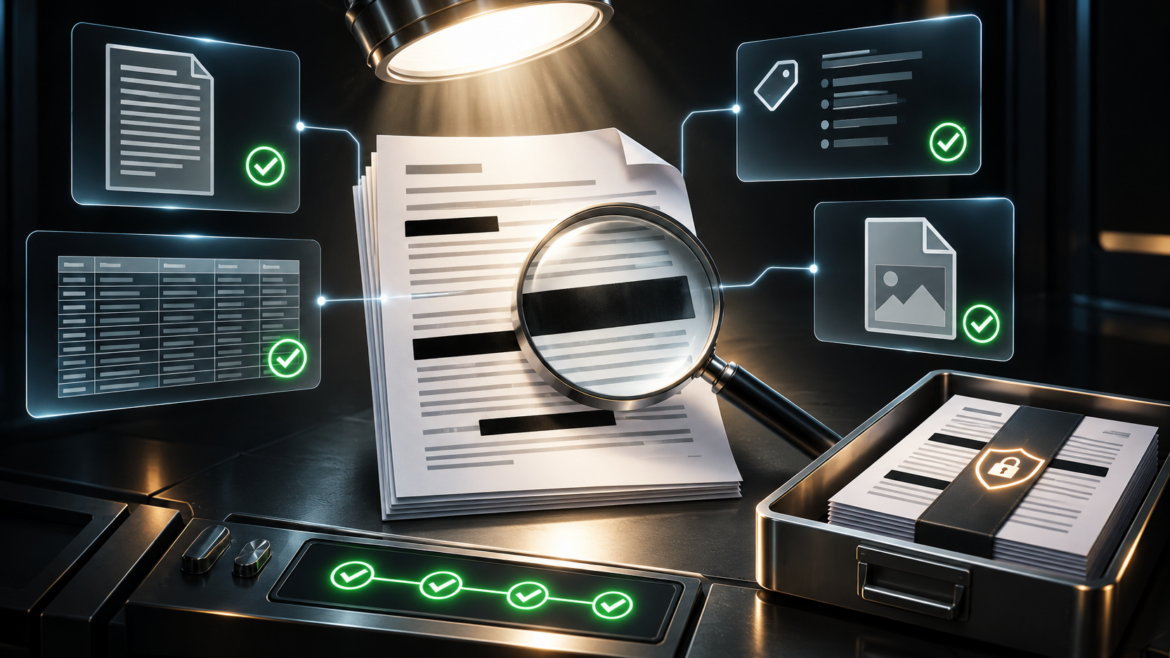
A practical guide to identifying sensitive information, avoiding hidden disclosure risks, and checking what actually leaves your review platform.
Imagine your team is about to send a production to opposing counsel. A Social Security number is covered in the PDF, and the page looks ready. But is that number also gone from the accompanying extracted-text file? What if the original spreadsheet is included with hidden rows intact?
A redaction that looks correct is not necessarily a redaction that protects every file being delivered. For attorneys and paralegals, that distinction matters. The goal is not simply to place a black box over information. It is to identify what needs protection, apply the right treatment, and verify the final production.
What Is PII Detection and Redaction in eDiscovery?
Personally identifiable information (PII) can include Social Security numbers, financial account numbers, dates of birth, and personal contact details. During discovery, these values may appear in emails, spreadsheets, scanned records, messages, and attachments.
PII detection finds potential sensitive values for review. PII redaction conceals or removes information from the materials being shared under the applicable instructions. They are separate steps: software may flag a number, but counsel and reviewers still need to determine whether it should be redacted. Automated assistance can reduce searching, but it does not eliminate human judgment or production quality control.
When Redacted Does Not Mean Removed
An electronic document may contain more than the content visible on screen. A visual overlay can conceal text without removing the underlying data. In a production, information can also remain in extracted text, metadata, or native files even when a PDF image appears clean. Federal court redaction guidance cautions that apparently concealed personal identifiers may remain in hidden data. [2]
Spreadsheets deserve special attention: hidden worksheets, rows, columns, and formulas can carry information that is not visible in a printed or PDF version. A redaction on a rendered image does not automatically modify the native spreadsheet. The right check is therefore not only “Does the page look redacted?” but “What exactly will the recipient receive?”
Can Automated PII Detection Miss Sensitive Information?
Consider a fictional employee record with a Social Security number, a date of birth, and an unrelated internal reference number. Assume counsel instructs reviewers to redact the first two values in production copies but retain the reference number. The same record appears in a spreadsheet and in a low-quality scanned attachment.
The detection tool might flag the reference number because its pattern resembles a sensitive identifier. It might also miss a number in the scan if optical character recognition (OCR) reads the image incorrectly. These are false positives (unnecessary flags) and false negatives (missed sensitive values). Neither should be treated as proof that a platform is unusable; both show why teams need review instructions, exception handling, and realistic testing.
Which File Types Need Extra Attention?
- Spreadsheets: Confirm the treatment of hidden content, formulas, separate worksheets, and native files.
- Scans: Check OCR quality and whether poor image quality changes detection results.
- Emails and attachments: Review the message and each attachment, including how copies are exported.
- Texts and chats: Preserve enough conversation context to make defensible redaction decisions.
File-type processing support does not by itself establish that PII detection and redaction work identically across formats. Ask to see the actual workflow for the types of documents your team handles most often.
How Do You Verify PII Redactions Before Production?
- Confirm the rules. Have counsel define what must be redacted, retained, or escalated based on protective orders, production agreements, client instructions, and applicable rules. Federal Rule of Civil Procedure 5.2 governs privacy protections in federal court filings; it is not a universal redaction rule for every discovery production. [1]
- Test representative documents. Use authorized, artificial, or appropriately sanitized examples with known sensitive values. Compare what the system finds with an answer sheet, and record missed or incorrectly flagged values.
- Review in context. Give a paralegal or attorney the opportunity to accept, reject, or correct proposed matches. A number that resembles an identifier may be an unrelated business reference.
- Inspect the exported production. Generate a complete sample that includes the formats intended for delivery: PDFs or images, extracted text, metadata, load files, and any native files. Search for known test values; check whether concealed text can be selected or copied; and verify hidden spreadsheet content. These checks help, but do not replace matter-specific quality control.
- Document exceptions and sign-off. Track corrections, unresolved questions, and final approvals. Preserve source evidence separately while validating the copies that will be shared.
Want these steps on one page? Download the free PII Redaction & Production QC Checklist to use as a final-review aid before your next production.
What Should You Ask When Evaluating eDiscovery Software?
A useful demonstration follows one realistic record from intake through detection, reviewer decisions, redaction, and export. Ask what PII categories and file types are supported in the exact version and configuration proposed. Confirm how permissions, audit history, native files, OCR, and production components are handled.
Also request a written cost estimate covering licensing, hosting, detection, OCR, redaction, exports, services, and any additional charges if the dataset grows or a production must be rerun. For SaaS, on-premise, or hybrid deployments, clarify where data is processed, whether information is sent to external services, and who is responsible for security, backups, and support. Let an actual reviewer perform the task instead of only watching a sales demonstration.
Quick Answers to Common PII Redaction Questions
Can a redacted PDF still reveal sensitive data?
Yes. If the redaction only covers content visually, underlying text or related production files may still expose it. Verify the delivered files, not just the on-screen image.
Does automated PII detection catch every Social Security number?
Do not assume so. Results depend on detection methods, document quality, formats, and settings. Test representative documents and review exceptions.
Is PII detection the same as redaction?
No. Detection identifies possible sensitive values; redaction applies the required protection to the materials being produced.
Confidence Comes from a Process You Can Verify
A strong PII workflow combines clear instructions, appropriate technology, human review, and production quality control. The payoff is not simply faster review; it is greater confidence about what your team is sharing.
At CloudNine, we believe eDiscovery does not have to be that complicated. CloudNine Review offers cloud and on-premises options, with US-based services and support. If you are assessing your workflow, bring an authorized test set to a demonstration so the team can discuss available capabilities, costs, and responsibilities for your proposed set-up.
FREE CHECKLIST
BEFORE YOUR NEXT PRODUCTION
Download the free PII Redaction & Production QC Checklist for a practical final-review aid, or request a CloudNine Review demonstration to explore your team’s needs.
Sources and Further Reading
- Cornell Law School, Legal Information Institute, Federal Rule of Civil Procedure 5.2: Privacy Protection for Filings Made with the Court. https://www.law.cornell.edu/rules/frcp/rule_5.2
- United States District Court for the District of Utah, ECF Procedures Manual, Section II.C, Redaction (revised December 2025). https://www.utd.uscourts.gov/sites/utd/files/ECF%20Procedures%20Manual%20FINAL%20250314.pdf
This article is general educational information, not legal advice. Confirm the requirements applicable to your matter with counsel.